If you run a local business, here’s a number worth knowing: most of the customers who message you after closing time never call back the next day. They ask their question somewhere else — usually a competitor who answered first. That’s the actual problem a chatbot solves. Not “AI transformation.” Just answering the same five questions your customers ask every day, at 9pm, while you’re at home.
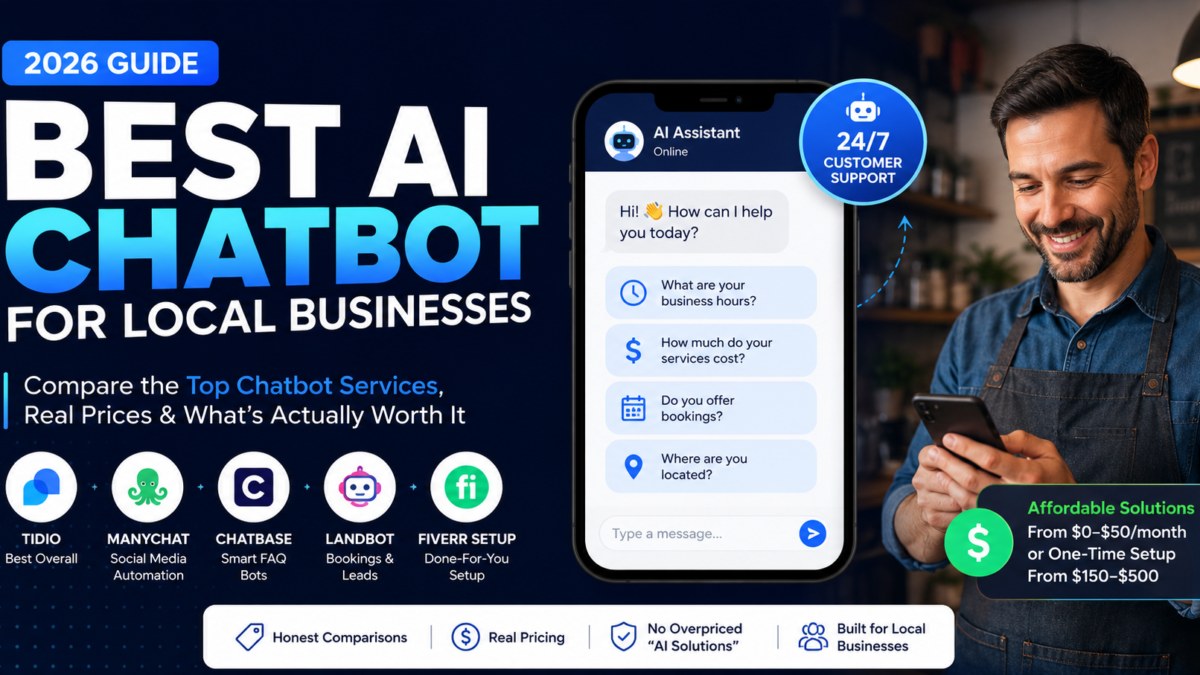
The good news: getting the best AI chatbot for small businesses in 2026 is genuinely affordable — far cheaper than most business owners assume. The bad news: the market is full of overpriced “AI solutions” that charge enterprise money for something a $29/month tool does fine. This guide compares the best AI chatbot services for a local business honestly — real prices, what each one is actually good at, and when you should just pay someone $200 to set it up for you instead.
This guide contains affiliate links — see full disclosure at the end.
What “Affordable” Actually Means for a Chatbot in 2026
Before comparing tools, let’s set honest expectations, because chatbot pricing confuses almost everyone. There are three cost levels:
- Free tiers ($0/month): Real and usable, but capped — usually a limited number of AI conversations per month. Fine for testing whether customers actually use the thing before you spend money.
- Small business plans ($15–$50/month): This is where most local businesses should live. Enough conversations for a salon, clinic, restaurant, or small shop, with the AI features that matter.
- “Custom AI solutions” ($500+/month): Agencies selling these to local businesses are usually reselling the same $30 tools with a markup. Unless you’re a multi-location operation with complex needs, you don’t need this tier. Anyone quoting you thousands per month for a small business chatbot is pricing on your confusion, not your needs.
There’s also a fourth option most comparison articles skip: pay a freelancer a one-time fee to set up one of the cheap tools for you. More on that below — for many owners it’s the best value of all.
The Best AI Chatbot Service for Local Businesses, Compared
| Service | Best for | Starting cost |
|---|---|---|
| Tidio | Most local business websites (best overall) | Free tier; paid from ~$29/mo |
| ManyChat | Instagram, Facebook & WhatsApp businesses | Free tier; paid from ~$15/mo |
| Chatbase | FAQ bots trained on your website content | Paid from ~$19–40/mo |
| Landbot | Bookings, lead capture, WhatsApp flows | Free tier; paid plans |
| Fiverr setup | Owners who don’t want to DIY at all | One-time $150–$500 |
Prices change often — always confirm on the tool’s current pricing page before committing.
Tidio — best overall for most local businesses
If you have a website and customers who visit it, start here. Tidio combines an AI chatbot with live chat, which matters more than it sounds: the bot handles the routine questions (hours, prices, availability), and when someone asks something genuinely complicated, it hands the conversation to you or your staff instead of frustrating the customer. The free plan includes a limited number of AI conversations per month — enough for a small business to test with real customers before paying anything.
Choose Tidio if: you’re a salon, clinic, restaurant, or service business whose website gets steady visitors and repetitive questions. Skip it if: your customers barely use your website and live on Instagram — that’s the next tool’s job.
ManyChat — best if your customers message you on social media
Here’s an honest question: where do your customer messages actually arrive? For many local businesses in 2026 — especially salons, boutiques, food businesses — the answer is Instagram DMs and WhatsApp, not the website. If that’s you, a website chatbot solves the wrong problem. ManyChat automates replies inside Instagram, Facebook Messenger, and WhatsApp: answering FAQs, collecting orders, responding to story replies, and capturing leads while you sleep.
Choose ManyChat if: most inquiries come through social DMs. Skip it if: your business barely uses social media — it can’t help where your customers aren’t.
Chatbase — cheapest way to get a smart FAQ bot
Chatbase does one thing well: you point it at your website (or upload a PDF of your services and prices), and within minutes it answers customer questions using your own information — in normal conversational language, not clunky scripted replies. There’s no drag-and-drop flow building to learn. For a business whose main need is “stop answering the same questions all day,” this is the least effort per dollar in the entire category.
Choose Chatbase if: you want a set-and-forget FAQ answerer trained on your existing content. Skip it if: you need bookings and lead capture flows — pure Q&A is its lane.
Landbot — best for bookings and lead capture
Landbot builds guided conversations: the customer taps through a structured flow — choose a service, pick a time, leave a number — and the result lands in your calendar or inbox. It’s less “chatty AI” and more “friendly form that doesn’t feel like a form,” which is exactly right when the goal is a booked appointment rather than an answered question. Strong WhatsApp support makes it popular with service businesses.
Choose Landbot if: missed bookings and uncaptured leads are your real pain. Skip it if: you mainly need free-form question answering.
Don’t Want to Set It Up Yourself? The $150–$500 Shortcut
Here’s the option most “best chatbot” articles never mention: you don’t have to build any of this. Every tool above can be set up by a freelancer for a one-time fee — typically $150–$500 for a small business bot on Fiverr, where chatbot setup has become a well-established service category.
When does paying make sense? Simple math: if setting this up yourself would take you a weekend of fiddling, and your weekend is worth more than $200 to you, hiring is the affordable option — not the expensive one. The freelancer configures the tool, trains it on your business information, styles it to match your brand, and installs it on your site. You still pay the tool’s monthly fee (that’s yours, not theirs), but the confusing part is done.
Full transparency: we also write for the freelancers on the other side of this transaction — our guide on how chatbot builders create these systems shows exactly what goes into the work. Reading it takes ten minutes and makes you a much sharper buyer, because you’ll know what you’re paying for.
Which One Should You Pick? A 30-Second Decision Guide
- Dental clinic, salon, or service business with a website: Tidio — FAQ answering plus human handoff for the complicated stuff.
- Boutique, food business, or anyone living on Instagram/WhatsApp: ManyChat — automate the DMs, not the website.
- You just want the same ten questions answered automatically: Chatbase — feed it your site, done.
- Missed appointments are costing you real money: Landbot — a booking flow beats a chat window.
- You’d rather not touch any of this: Hire the setup on Fiverr for a one-time fee and skip the learning curve entirely.
Three Mistakes Local Businesses Make When Buying a Chatbot
1. Paying agency prices for tool-tier work. If a quote is over $1,000 for a basic small business chatbot, ask exactly which platform they’re using. Often it’s one of the tools above with a 10x markup. A fair one-time setup fee is in the hundreds, not thousands.
2. Launching it and never updating it. A chatbot confidently giving last year’s prices or old opening hours damages trust more than having no chatbot at all. Put a monthly 15-minute review in your calendar: read the questions it couldn’t answer, fix the gaps, update anything that changed.
3. Expecting it to replace a human. The honest job description of an affordable chatbot: handle the repetitive 80% so you only deal with the 20% that needs you. Any service promising a “full AI employee” at small business prices is overpromising — and you’ll feel it in frustrated customers.
FAQ
How much does an AI chatbot cost for a small business?
Realistically $0–$50/month if you set it up yourself using a tool like Tidio, ManyChat, or Chatbase, or a one-time $150–$500 to have a freelancer configure everything for you. Be skeptical of anything quoted in the thousands for a basic local business bot.
What’s the best AI chatbot service for a local business overall?
Tidio, for most cases — it combines AI answers with live-chat handoff, has a usable free tier, and doesn’t require technical skills. The main exception: if your customers message you on Instagram or WhatsApp rather than your website, ManyChat fits better.
Can I get a chatbot for free?
Yes — Tidio, ManyChat, and Landbot all have genuine free tiers with monthly conversation limits. Free tiers are a smart way to confirm your customers actually use the chatbot before paying for a bigger plan.
Do I need technical skills to set one up?
No coding, but expect a few hours of honest fiddling: writing out your FAQs, training the bot, testing it like a customer would, and pasting one line of code into your website. If that sounds like a weekend you’d rather not spend, hiring the setup on Fiverr is the practical alternative.
Will a chatbot annoy my customers?
A bad one will. The fix is scope: let it answer the routine questions it’s genuinely good at, and make sure there’s always an obvious path to reach a human. Customers don’t hate chatbots — they hate being trapped by one.
The Bottom Line
An affordable chatbot for a small business isn’t a myth and isn’t a $5,000 project. It’s a $0–$50/month tool matched to where your customers actually ask questions — your website (Tidio or Chatbase), your DMs (ManyChat), or your booking calendar (Landbot) — set up either over one honest weekend or by a freelancer for a few hundred dollars, once. Start with a free tier this week, watch what your customers ask it, and upgrade only when the limits actually pinch. That’s the whole affordable path — no enterprise contract required.
Affiliate disclosure: This post contains affiliate links. If you sign up or buy through our links we may earn a commission at no extra cost to you. We only recommend tools and services we’d genuinely use ourselves. Tool details and pricing reflect 2026 information — prices change often, so always check the current pricing page before committing.