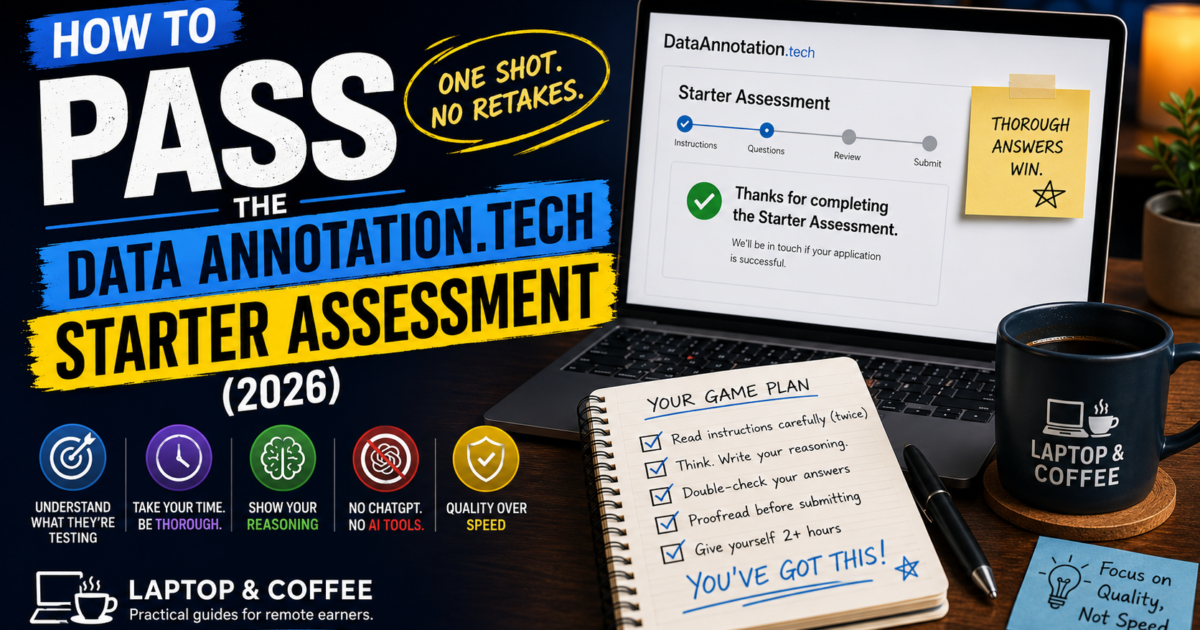
You submitted it an hour ago. The page still says “Thanks for completing the Starter Assessment.” No confirmation email. No progress bar. Nothing.
So you do what everyone does: you open Reddit and TikTok and search “did I pass Data Annotation starter assessment,” and you find hundreds of other people in the exact same silence, some of them three weeks in. A few swear they heard back in two days. One person says they failed twice and doesn’t know why. Nobody official is saying anything.
Here’s what’s actually going on, and how to give yourself the best real shot at passing on the only attempt you get.
What the Starter Assessment is actually testing
DataAnnotation only gives you one shot at this — there are no retakes, ever, on the same account. So it’s worth understanding what it’s really checking before you touch it.
According to DataAnnotation’s own FAQ, the assessment exists to confirm you can do the actual work: evaluating chatbot responses, comparing AI outputs, and — depending on the track you choose — writing, editing, or coding. It’s not a personality test or a trivia quiz. It’s a sample of the real job, and they’re watching whether your judgment is reliable enough to trust with paid tasks afterward.
You’ll pick your track when you sign up: general (no coding required, focused on writing and reasoning) or coding (Python, JavaScript, or similar, often including LeetCode-style problems). Pick the one that actually matches your real background. Claiming coding skills you don’t have doesn’t just risk failing that assessment — a bad-faith attempt can hurt how the rest of your application is read.
Quick note: some links in this post are affiliate or referral links, which means we may earn a commission or reward if you sign up — at no extra cost to you. We only recommend platforms we have researched properly.
Have Real Professional Experience Instead of Free Time?
DataAnnotation’s Starter Assessment is built for generalists — but if you’ve got actual years in engineering, law, medicine, finance, or a specialized field, that background is often worth more elsewhere.
SME Careers (run by SuperAnnotate) is built specifically for credentialed professionals — doctors, lawyers, engineers, finance specialists — matched to expert evaluation and reference-answer work in their actual field. Listed rates run as high as $100–130/hr for in-demand specialties, though the honest range matters more than the headline: real project pay has also been reported as low as $15–20/hr depending on the project, so don’t assume top-tier rates apply before you’re actually matched. See current openings →,
or read our full SME Careers review first if you want the pay breakdown before applying.
Terac takes a different approach — it verifies your professional background (ID, work email, domain screening) before matching you to paid AI evaluation work and market-research interviews, not just annotation. Reported pay runs $25–$150+/hr depending on credential depth, aimed specifically at software engineers, lawyers, clinicians, and accountants. See current openings →
Why most people fail it (and it’s rarely about intelligence)
The single biggest mistake is treating this like a timed online quiz instead of a job sample.
DataAnnotation’s official guidance says most Starter Assessments are estimated at around an hour — but they explicitly say they’re reviewing for thoroughness and accuracy, not speed. Community reports consistently back this up: people who passed usually describe spending well past the estimated time, sometimes two to three hours, because they re-read instructions, double-checked their reasoning, and didn’t rush the last few questions once they got tired.
A few other patterns show up again and again in what actually trips people up:
Skimming the instructions. These assessments are often deliberately specific about formatting, tone, or what counts as a “better” response. Missing one detail in the instructions is one of the most common ways an otherwise solid answer gets marked wrong.
Using ChatGPT or another AI tool to answer it. This is the fastest way to fail, full stop. The entire point of the test is proving your judgment is more reliable than current AI output — submitting AI-generated answers defeats the purpose in the most obvious way possible, and it’s specifically what they’re screening for.
Rushing the back half. Attention consistently drops in the last third of any long assessment. If anything, slow down further as you go, not less.
Guessing on reasoning tasks instead of explaining your logic. Several of the tasks ask you to evaluate or rank AI responses. Vague or one-word justifications read as low-effort even when the final answer happens to be correct.
A realistic approach to actually taking it
Treat it like a real work sample, not a form to get through:
1. Set aside two hours, not one. If you finish early, that’s fine — but don’t plan your schedule assuming you’ll be done in 60 minutes, or you’ll feel pressure to rush right when careful answers matter most.
2. Read every instruction twice before answering. If a question specifies a format, a tone, or a specific thing to check for, that detail is almost always part of what’s being scored.
3. Write out your reasoning, even when not explicitly asked. On comparison or ranking tasks, a short explanation of why one response is better shows the judgment they’re actually testing for.
4. Don’t touch ChatGPT, Claude, or any AI tool during the test. Not to check your grammar, not to double-check a fact, not for anything. If you’re unsure how this is enforced: assume it is.
5. Proofread your final answers before submitting. You don’t get a second attempt, so treat the submit button like signing off on a final draft, not a rough one.
6. Expect identity verification afterward, and don’t be alarmed by it. If you pass, you’ll likely be asked to verify your identity through Persona — the same verification service used by companies like Airbnb and Instacart. This is a standard step to prevent fraud on a platform that pays real money, not a red flag.
How long you’ll actually wait — and what silence really means
This is the part that causes the most unnecessary anxiety. DataAnnotation’s own FAQ states that approval notifications typically arrive within a few days, but real-world reports vary a lot more than that — some people hear back in 48 hours, others wait two to three weeks, particularly during periods of high applicant volume.
There is no dashboard, tracking number, or support line that will speed this up. Contacting support to ask about your status generally won’t get you a faster answer — the volume of applicants makes individual follow-ups impractical for them to handle.
The honest takeaway: no news for a week or two isn’t a bad sign by itself. It becomes a genuine “probably didn’t pass” signal only past the three-to-four-week mark, at which point it’s reasonable to consider your application closed and look at other platforms in the meantime.
After you pass: it’s not over yet
Passing the Starter Assessment gets you access to the platform — it doesn’t hand you high-paying work immediately. From here, you’ll typically be prompted to take additional specialized qualification tests matched to your background (coding, a specific language, a scientific or legal field, and so on). These unlock the higher-paying, more consistent project categories — general tasks typically start around $20 per hour, while specialized coding work can reach $40 per hour.
A practical strategy: don’t try to qualify for every specialty at once. Pick one or two that genuinely match real experience you have, pass those well, and expand later once you understand how the platform’s task flow actually works.
One payment detail worth knowing before you invest the effort: DataAnnotation pays exclusively through PayPal, typically about a week after completing work. If PayPal doesn’t operate properly in your country, sort out your PayPal situation first — there is no bank transfer or Payoneer option here.
Data Annotation Starter Assessment vs. Core Assessment: What’s Actually Next
Passing the Starter Assessment isn’t the finish line — it’s the first of three gates. Here’s the part most people don’t find out until they’re already through the first door:
The three-stage funnel:
1. Starter Assessment — what this whole page is about. Tests basic literacy, logic, and instruction-following.
2. Core Assessment — the real filter. Harder, longer, and scenario-based rather than straightforward Q&A.
3. Qualification Tests — short, unpaid, domain-specific tests that unlock the actual paid project categories.
Community reports describe the Core Assessment as noticeably harder than the Starter — more of a critical-reasoning test than a rule-following one, built around scenario-based tasks rather than the shorter, more mechanical questions in the Starter round. Treat that as a heads-up, not a hard spec: DataAnnotation doesn’t publish exact question counts or formats, and what you get can vary.
The practical takeaway: don’t relax after the Starter email lands. If anything, the Core Assessment is where the two-hours-not-one advice from earlier on this page matters even more. Budget real, undistracted time for it when it shows up — it’s a bigger ask than the Starter, not a formality.
One more thing worth knowing before you get there: qualification tests, the step after Core, are unpaid too. Nothing pays until you’re actually working an assigned project. Factor that into how much unpaid time you’re willing to put in before the first check arrives.
Is the Data Annotation Starter Assessment paid?
No. The Starter Assessment, the Core Assessment, and the qualification tests that follow are all unpaid. You only start earning once you’re matched to an active, paid project — budget your time accordingly before you commit to the process.
Who should sit this out for now
If you’re not able to give this a genuinely quiet two-hour block with zero distractions, it’s worth waiting until you can. Given that you only get one attempt, taking it tired, rushed, or squeezed between other tasks is close to setting yourself up to fail something you could otherwise pass comfortably. And if you’ve got real professional experience rather than free time, remember the micro1/Mercor options mentioned earlier in this post are worth checking before you spend your one attempt here.
If you haven’t looked into what this work actually pays or how it compares to similar platforms, Freelance AI Training Jobs for Beginners covers the realistic pay ranges, the other platforms worth applying to alongside DataAnnotation, and the scam patterns to watch out for in this space.
If you’re weighing this against other platforms before committing your one attempt, Outlier AI runs a similar one-shot assessment worth comparing, and Best AI Training Platforms for Internationals covers the full lineup side by side.
FAQ
Can I retake the Data Annotation Starter Assessment if I fail?
No. DataAnnotation’s own FAQ confirms there are no retakes on the same account. Treat your one attempt accordingly — take your time and review every answer before submitting.
How long does the Data Annotation Starter Assessment actually take?
It’s listed as roughly one hour, but most successful applicants report spending closer to two to three hours, since the review process prioritizes thorough, accurate answers over speed.
Does everyone who takes the Data Annotation Starter Assessment pass?
No. DataAnnotation doesn’t publish an official pass rate, but community reports consistently describe it as a real filter, not a formality — a meaningful share of applicants don’t pass on their first (and only) attempt. That’s exactly why treating it as a job sample rather than a quick quiz, and budgeting two hours instead of the suggested one, matters as much as it does.
I got “Thanks for completing the Starter Assessment” — does that mean I passed?
No, that message just confirms your submission went through. It appears whether you ultimately pass or fail, so it isn’t a signal either way. There’s no separate “in review” status or progress indicator after that — the actual pass/fail decision only arrives later, by email, on the timeline covered above.
How long does it take to hear back after the assessment?
DataAnnotation states most applicants hear back within a few days, though real-world wait times commonly range from about 48 hours up to two or three weeks depending on application volume.
Does DataAnnotation require identity verification?
Yes, for applicants who pass. It’s handled through Persona, a verification service also used by companies like Airbnb and Instacart, and it’s a standard anti-fraud step rather than a warning sign.
Is it okay to use ChatGPT to help answer the assessment?
No. Using AI tools to generate your answers is very likely to result in an automatic fail, since the assessment exists specifically to test whether your judgment is more reliable than current AI output.
Affiliate & Referral Disclosure: Laptop & Coffee is reader-supported. This post contains affiliate links (including survey panel offers) and personal referral links (including DataAnnotation), which means we may earn a commission or referral reward if you sign up through them — at no additional cost to you. Referral rewards work slightly differently from affiliate commissions: they are paid by the platform when a referred person qualifies and completes work. Either way, it never changes what you pay, and it never changes what we tell you. We state the downsides before every sign-up link, and we only recommend platforms we have researched properly. No hype. Just truth. Sip. Click. Earn.

Currently it seems like Drupal is the preferred blogging platform available right now.
(from what I’ve read) Is that what you’re using on your blog?
I’m giving out a try on this one