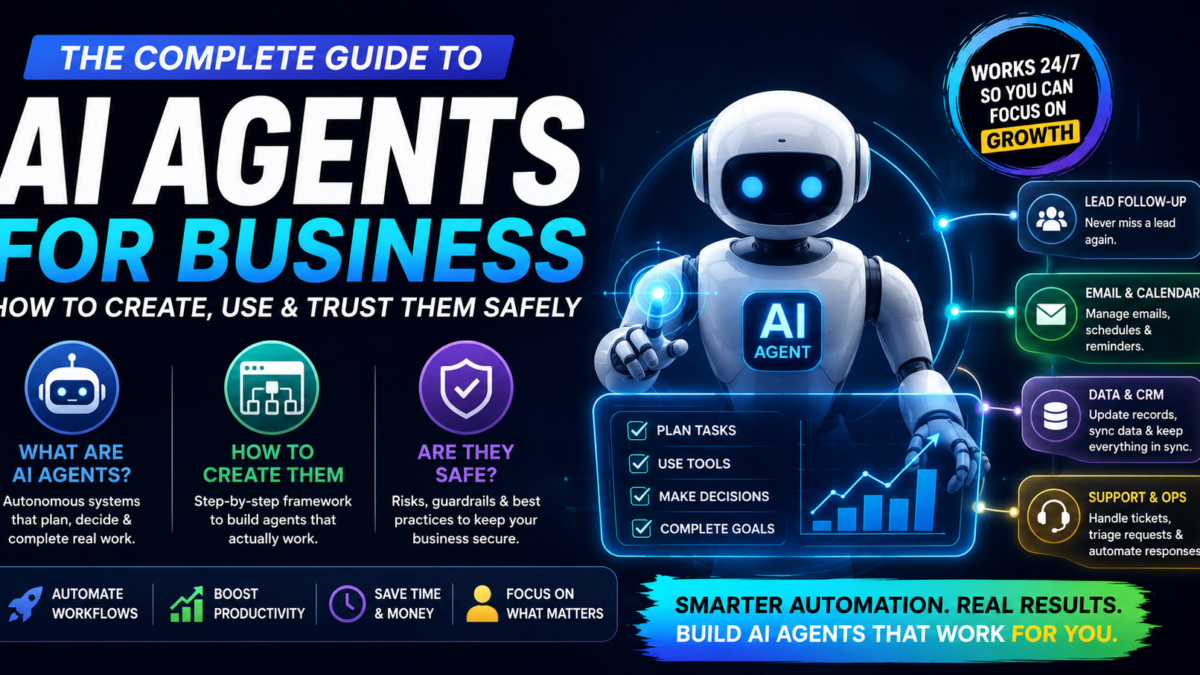
AI is moving past the chat window. The biggest shift happening in 2026 is the rise of AI agents for business — systems that don’t just answer questions, but plan tasks, make decisions, and run entire workflows with minimal supervision. If a chatbot is an employee who answers the phone, an agent is one who works the whole shift.
Businesses and solo operators are all asking the same three questions: how do you create AI agents, can you build one without being a developer, and are they actually safe to trust with real work? This guide answers all three — honestly, including the risks most articles skip.
What Are AI Agents?
AI agents are AI systems designed to complete tasks, make decisions, and pursue a goal on their own — not just respond to one prompt at a time.
A regular chatbot waits for your instruction, answers, and stops. An agent takes a goal and manages itself through a loop:
- Breaking a big goal into smaller sub-tasks it can execute one by one
- Using external tools directly — web browsers, software APIs, databases
- Checking its own results and adjusting the plan when something doesn’t work
- Continuing until the goal is reached or a rule tells it to stop and ask a human
Why AI Agents Are Taking Off Right Now
🧠 1. The underlying AI got good enough to plan
Modern language models can reason through multi-step problems and adapt when something unexpected happens. That’s the capability jump that makes agents practical rather than theoretical — earlier models lost the plot two steps into a task.
🔌 2. They connect to real business tools
Agents no longer live in an isolated chat window. They plug into CRMs, email platforms, project boards, browsers, and analytics tools — which means they can do actual work, not just describe it.
📈 3. Small teams need leverage
Businesses are being asked to produce more with fewer people. An agent handling the repetitive layer — follow-ups, data entry, routine checks — is the cheapest “hire” available, and it works the same at 10 tasks a day or 1,000.
AI Agents for Business: Where They’re Actually Used
- 📣 Marketing & sales: lead follow-ups that never get forgotten, ad budget adjustments, content pipelines that run on schedule
- ⚙️ Operations & support: triaging support tickets, auditing systems, keeping data in sync across tools
- 💻 Tech & engineering: automated testing, debugging assistance, deployment routines
How to Create AI Agents (Step-by-Step Framework)
Whether you’re building a complex developer agent or a lightweight assistant, the process follows the same five steps:
- Define one clear goal. Not “automate my business” — something measurable like “monitor incoming leads and route qualified ones into the email sequence.” Vague goals produce agents that wander.
- Choose the AI engine. Pick a model strong at reasoning and tool use — this is the agent’s brain, and a weak one fails in ways that are hard to debug.
- Connect the tools. Give it access to the systems it needs — database, browser, email, calendar — using proper API keys, and nothing more than it needs.
- Set guardrails before launch. Explicit rules, limits on what it can change, and validation checkpoints. This step is the difference between an assistant and a liability.
- Test, watch, refine. Run it on low-stakes work first, review its logs, fix the failure patterns, and only then scale up what it touches.
Building AI Agents Without Coding
You don’t need an engineering background to build a working agent anymore. No-code and low-code builders — drag-and-drop workflow tools, pre-made trigger templates, visual logic — have lowered the entry barrier to the point where a founder or marketer can launch a working setup in an afternoon.
Honest caveat: no-code gets you a working agent, not necessarily a robust one. The guardrails step above matters more when you didn’t write the underlying logic yourself, because you can’t see what the agent is doing under the hood — only what it produces.
Are AI Agents Safe to Use in a Business?
Powerful, yes — but giving an automated system broad permissions creates real risks if nobody’s watching:
• Unintended changes to live records and databases
• Data leaking through third-party connections
• Small errors compounding when the agent loops
• API costs quietly stacking up while it runs
• Keep a human in the loop for anything sensitive or irreversible
• Grant only the permissions the task requires — nothing extra
• Test in a sandbox before touching live systems
• Set spending limits and monitor the agent’s activity logs
The setup that works in practice is the human-supervised agent: you own the strategy and approve the sensitive actions; the agent handles the repetitive execution underneath. Full autonomy sounds impressive in demos — supervised autonomy is what survives contact with a real business.
Where This Is Heading
Over the next few years, agents will shift from a specialist’s tool to a default part of how businesses run — repetitive digital admin handled by systems, with companies deploying agents alongside human team members. Learning how these systems are built now, while most businesses haven’t started, is a genuine head start rather than a hype line. It’s the same gap we’ve written about with chatbots for local businesses — the demand exists before the supply of people who can deliver.
Final Thoughts
AI agents have moved out of the experiment phase and into real business operations. Whether you’re running an online brand, managing content pipelines, or handling technical work, understanding how to create, deploy, and supervise these systems is becoming a core operational skill — and the people learning it now are the ones businesses will pay later.
Want a custom AI agent built for your business workflows?
Affiliate disclosure: This post contains affiliate links. If you sign up or buy through our links we may earn a commission at no extra cost to you. We only recommend tools and platforms we’d genuinely use ourselves. See our full affiliate disclosure.