Free video editing apps used to mean one thing: a watermark stamped across your finished video, or half the good features locked behind a paywall the moment you hit export. That’s changed a lot. The best free video editing apps 2026 has to offer genuinely let you edit and export clean, watermark-free video for free — you just have to know which ones, and which platform to edit on.
We tested across iPhone, Android, desktop, and browser-based tools to put this list together. Here’s what’s actually worth downloading right now.
Want CapCut-style editing? Jump to our top pick →
Quick note: a few links below are affiliate links, which cost you nothing extra. Full details in the disclosure at the bottom.
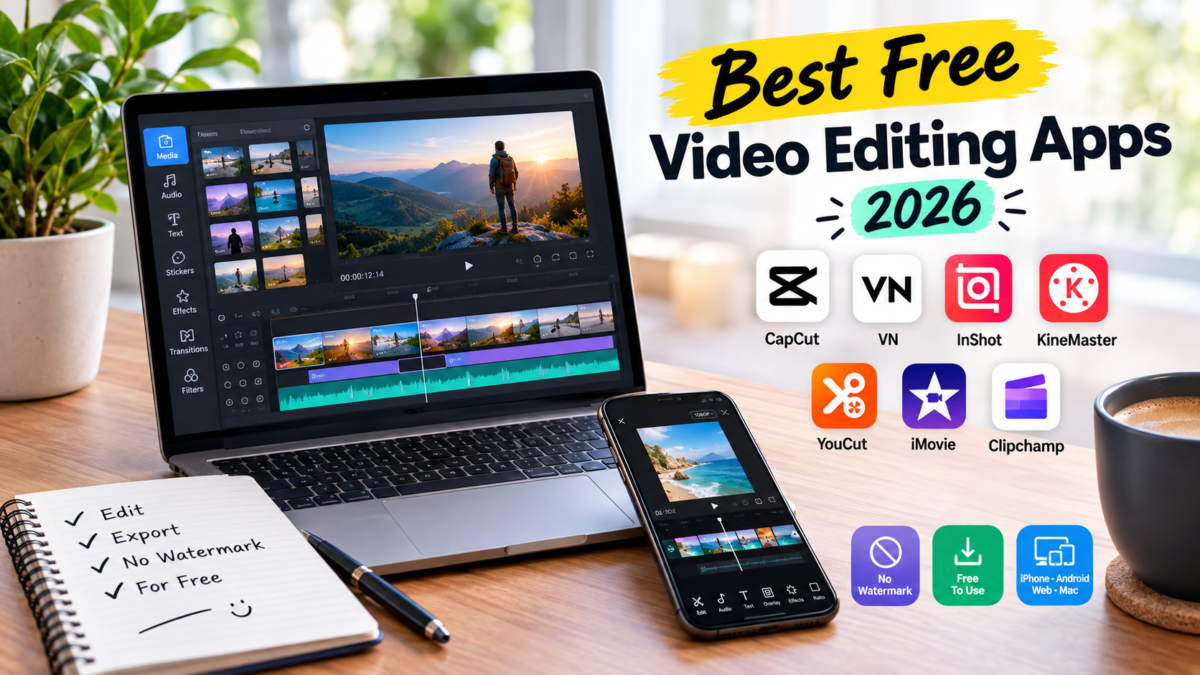
Quick Picks — Best Free video Editing Apps 2026
| App | Best for | Platform |
|---|---|---|
| CapCut | Reels, TikTok, and full desktop editing | iPhone, Android, Windows, Mac, Web |
| VN Video Editor | Cinematic, longer-form edits | iPhone, Android, iPad, Mac |
| InShot | Quick, beginner-friendly edits | iPhone, Android |
| KineMaster | YouTube-length, pro features | iPhone, Android |
| YouCut | Older/lower-end Android phones | Android |
| iMovie | Native, no-frills iPhone editing | iPhone, Mac |
| Clipchamp | No-download, browser editing | Web |
How We Picked These
We only counted an app as “free” if a standard export actually comes out clean — no watermark stamped in the corner, no forced upgrade to remove one. We also checked how current each app’s 2026 update actually is, since a lot of “best of” lists online are quietly running on 2024 screenshots. Every app below passed both checks.
Best Overall: CapCut
CapCut is the most popular free editor on the planet right now, and for a reason — trimming, transitions, AI effects, auto-captions, and templates built specifically for how TikTok and Reels actually get watched. Standard exports are clean and watermark-free on the free tier. And unlike most mobile-first editors, CapCut isn’t limited to your phone — the same tool scales up into a full desktop app when a project outgrows a 6-inch screen.
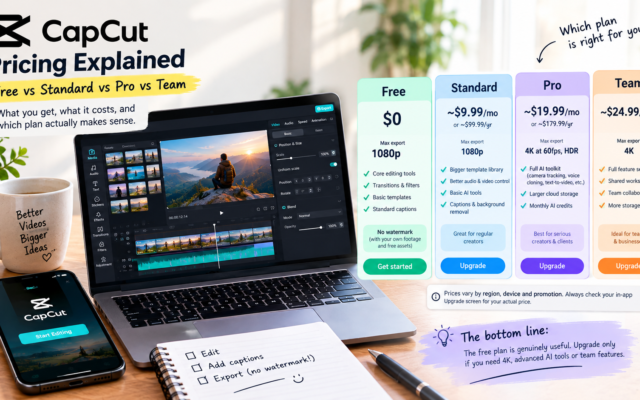
The honest downside: CapCut Pro’s price more than doubled in January 2026, now $179.99/year, so don’t go in expecting the paid tier to stay cheap. The free tier still covers everything most people need. It’s also worth knowing CapCut’s June 2025 terms of service grant a broad license to content you upload, including your face and voice — standard for a lot of free apps, but worth reading before you commit your best footage to it.
Yes, CapCut Works on PC and Mac Too
A lot of people don’t realize this: CapCut has a genuine standalone desktop app for Windows and Mac. It’s not an Android emulator wrapper — it’s built for desktop from the ground up, with a multi-track timeline, keyframe animation, chroma key (green screen), and motion tracking that the mobile app simply doesn’t have room for.

When it’s worth switching: if you’re editing anything longer than a quick Reel — a YouTube video, a client project, anything with multiple layers of b-roll and audio — the desktop version gives you the precision a phone screen can’t. It’s also the better choice if you’re recording gameplay, screen captures, or webcam footage that starts on a computer anyway.
One honest limitation: there’s no automatic project sync between mobile and desktop yet. If you start editing on your phone and want to finish on your computer, you’ll need to export and re-import rather than picking up the exact same project. The same free-tier rules apply on desktop too — standard exports are watermark-free, but Pro-only templates and effects will stamp a watermark if you use them without subscribing.
Download CapCut for PC or Mac →
The Rest of the List
VN Video Editor — best for cinematic edits. Runs identically across iPhone, Android, iPad, and Mac, with more advanced tools than CapCut once you dig in — keyframing, granular export controls, real color work. No watermark on exports, just a small removable “VN” title card on new projects.
InShot — best for quick, beginner-friendly edits. Simpler than CapCut or VN, which is exactly the point if you just want to trim, add music, and post without a learning curve. If your videos need a voiceover and you don’t want to record one yourself, our ElevenLabs review covers the AI voice tools that pair well with a simple editor like this.
KineMaster — best for YouTube-length content. The most pro-leaning tool on this list — layered editing, precise audio control. Fair warning: the free tier is more limited on watermark and export options than the others here, so budget for the paid tier if you use it seriously. If YouTube growth is the actual goal past the edit itself, our OutlierKit review is worth a read too.
YouCut — best for older or lower-end Android phones. Lightweight, no watermark even on free, covers the basics without draining your storage or your battery.
iMovie — best for iPhone users who want zero learning curve. Comes free on every iPhone and Mac, no watermark, no account needed. Not flashy, but it just works.
Clipchamp — best no-download option. Runs entirely in your browser, no install needed, no watermark. Good pick if you’re editing on a work computer or just don’t want another app taking up space. CapCut also runs a web version now if you want to stay in one ecosystem.
FAQ
Can I use CapCut on my PC or laptop?
Yes — CapCut has an official standalone desktop app for Windows and Mac with a fuller feature set than mobile, including a multi-track timeline and chroma key.
Is the CapCut desktop app different from the mobile app?
Yes, meaningfully. Desktop adds keyframe animation, motion tracking, and more precise editing tools built for longer, more layered projects — though your projects don’t automatically sync between the two.
What’s the best free video editing apps for Instagram Reels?
CapCut and InShot are built specifically around short vertical formats — auto-captions, trending templates, and quick export presets sized for Reels and TikTok.
What’s the best free video editing apps with no download?
Clipchamp is the most reliable browser-based option. CapCut’s web version is a solid alternative if you already use the mobile app.
Is CapCut actually free?
Yes — standard exports have no watermark on the free tier, on both mobile and desktop. CapCut Pro exists for advanced AI tools and templates, but it’s not required for normal editing.
What’s the best free video editing apps for Android specifically?
CapCut and VN Video Editor top most Android users’ lists; YouCut is the better pick if you’re on an older or storage-limited phone.
Most people don’t need five apps — pick one from this list that matches how you actually edit, and stick with it long enough to learn its shortcuts. That’s worth more than switching apps every month chasing the “best” one.
Affiliate & Referral Disclosure: Some links in this post are affiliate or referral links, which means we may earn a small commission if you sign up through them — at no extra cost to you. We only recommend tools we’ve researched and believe are legitimate. No hype. Just truth. Sip. Click. Earn.